Recommended
Direct installer
Recommended right now. The installer is published through GitHub Releases as a Full Native AOT build with runtimes bundled; in-app updates fall back to the website when downloads fail.
Download
DeskBox v1.5.7: **Exit reliability.** Quitting from the tray now always ends the process. On machines where the system's application-exit handshake stalls — typically Windows with UAC fully disabled and an elevated Explorer — a background DeskBox process used to survive "exit": the tray vanished and a restart worked, but the leftover process slowly ate memory and kept the right-click menu proxy alive beside it (feedback 555/556). Every shutdown path now carries a delayed hard-exit backstop, and the elevation notice and search popup close along with shutdown. Direct and Store builds share the fix.; **Windows 10: the drag-out card keeps its title.** Under Settings → File widgets → drag-and-drop behavior, the "when dragging out of a widget" card lost its title and question-mark tip on Windows 10, and its Windows 10 explanation could stretch the card out of shape or spill outside it on scaled, narrower windows. The explanation now renders in the card's description area and wraps safely at any width and scale; Windows 11 is unchanged.; **Dialogs follow the app theme again.** The desktop-organization abandon dialog, its preview cards, and the hotkey recorder had been picking up the raw system theme whenever the app's theme override disagreed with it; they now resolve against their own window theme, and desktop-organization rule rows rebuild on theme flips.
Choose
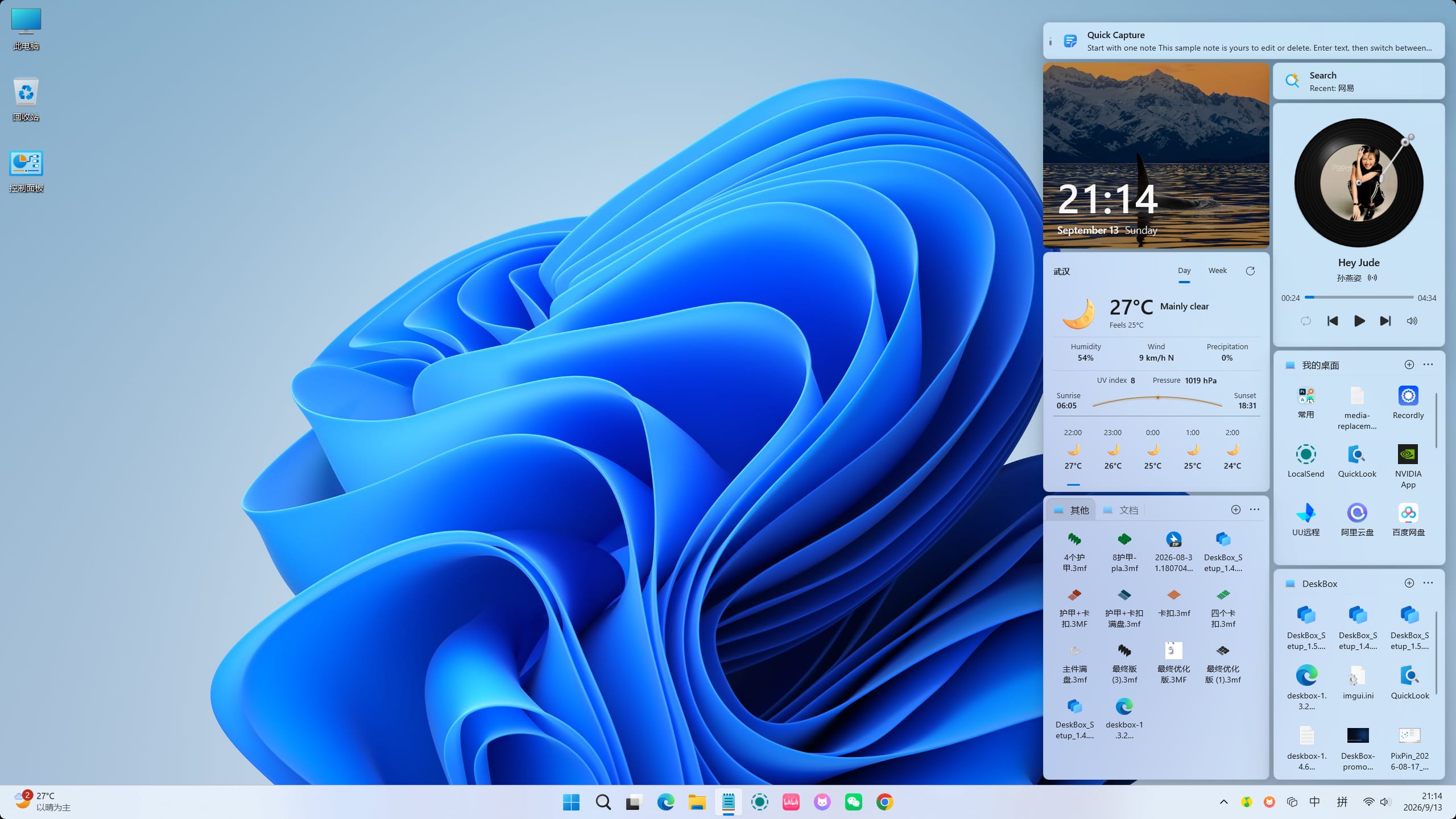
DeskBox remains free and open source. The Direct installer is completely free. The Microsoft Store version is paid to support server costs and continued development, with identical features to the open-source version.
Recommended right now. The installer is published through GitHub Releases as a Full Native AOT build with runtimes bundled; in-app updates fall back to the website when downloads fail.
The Store version is paid to support server costs and continued development. It has identical features to the open-source version, with Microsoft Store-managed installation and updates.

Cloud-drive mirrors for mainland China; contents may lag behind the latest release, while the Direct installer is always current.
Direct installers are Full Native AOT builds with the matching Windows App Runtime bundled — no separate .NET 10 or Windows App Runtime download is required, and installation works offline.
...
Versions