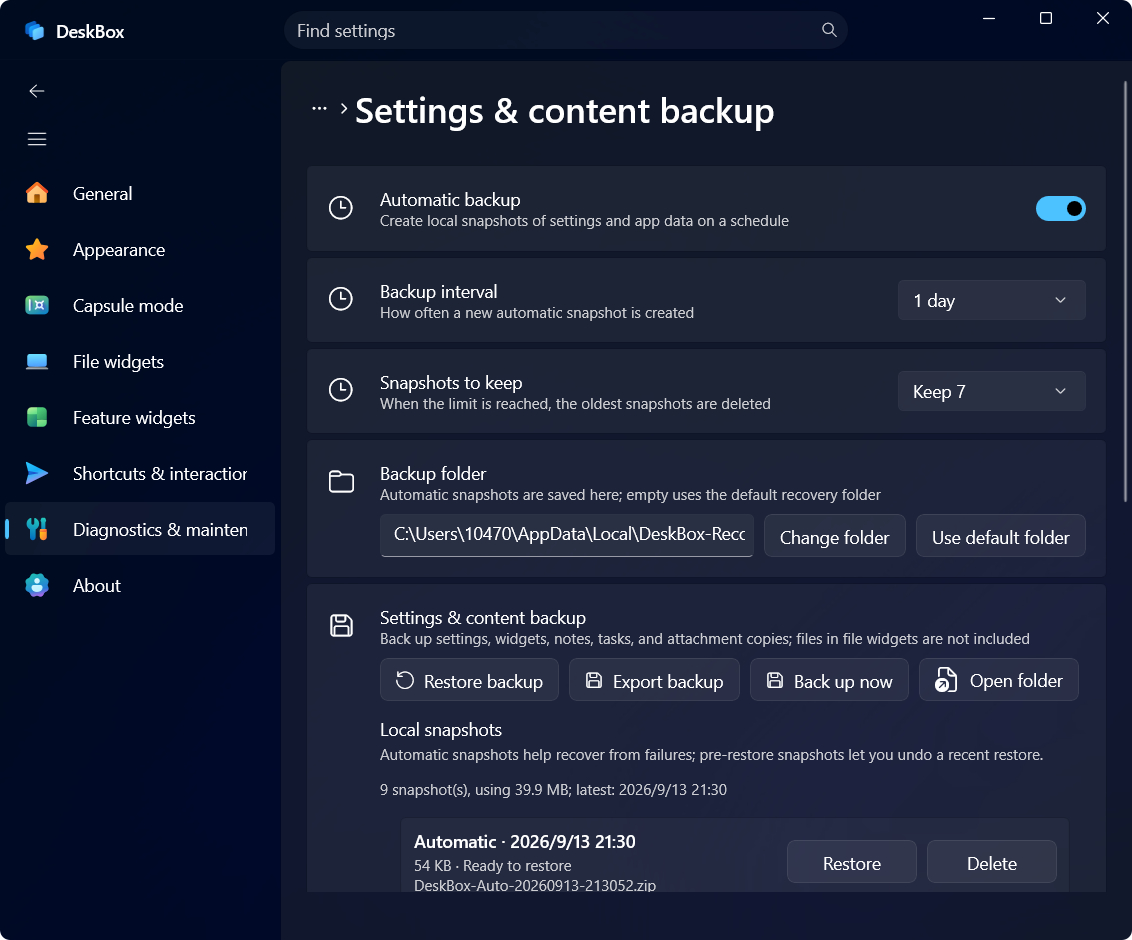
Since 1.5.0 DeskBox takes automatic data snapshots: local snapshots of settings and app data on a schedule, used for failure recovery; a snapshot is also taken before every restore so you can undo.
Related settings
Backs up settings, widgets, notes, tasks and attachment copies; files inside file widgets are not included.
Scheduled local snapshots, from every 5 minutes to every 5 days (daily by default).
When the limit is reached, the oldest snapshots are deleted (3–30, 7 by default).
Where automatic snapshots are saved; empty uses the default recovery folder, with automatic fallback and a notice.
ZIP backups with SHA-256 integrity checks; restores are validated with a content preview first.
Used for failure recovery; a pre-restore snapshot lets you undo a restore.
More in this category
Didn't find an answer? Ask or suggest on the feedback wall